

Oslo, Norway – 4 December 2025 – Today Opera [NASDAQ: OPRA], the browser innovator and agentic AI company, is bringing an update to Opera for Android that improves the user experience, allowing users to use websites as well as images as context for AI queries. Opera for Android’s AI capabilities are now becoming closer to those of the company’s flagship browser for desktop, Opera One, providing a more consistent experience across devices.
New access point to Ask AI
With this update, Opera for Android has a new access point for AI queries in the browser: Ask AI. To access it, users simply need to open Opera for Android, tap on the search bar, and then select the Ask AI option to open the new search bar.
Now, when users tap on the search bar, they can choose between traditional web search (with any of the search engines available) or the Ask AI option. With this new interface it’s much easier for users to switch between the traditional search and AI queries on the go.
Attach file in the new search bar
This new search bar also allows users to attach files that are stored on their Android device, or take a picture with the device’s camera and attach it. For example, if a user needs to translate a document, they simply need to attach it as a PDF or take a picture of it and then go to Ask AI to get it translated. And because it’s AI, the user can keep asking questions about the just-translated document to better understand what it’s all about.
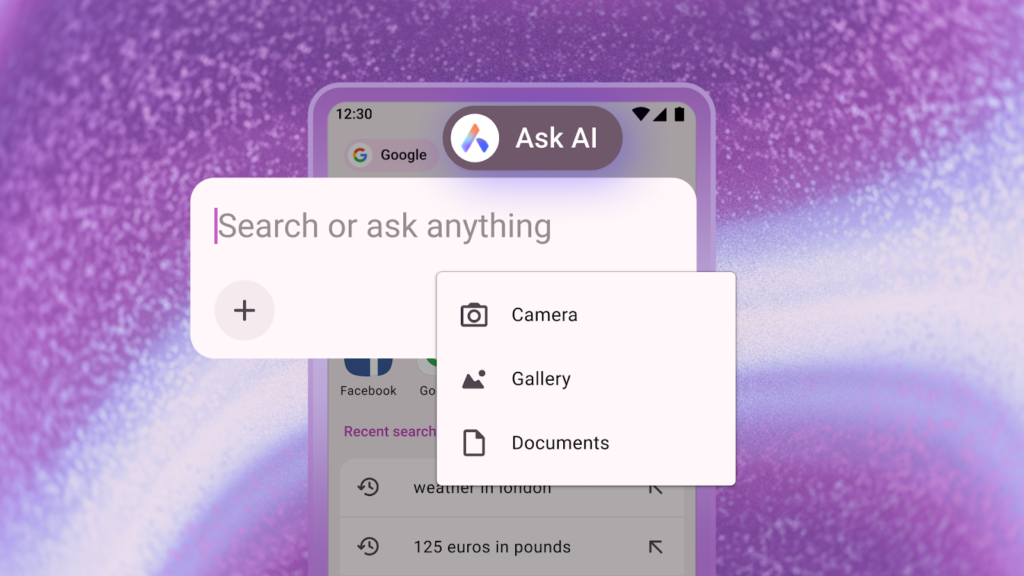
To attach files to the search bar, users simply need to:
- Access the Ask AI interface.
- Tap on the “+” sign underneath the text input field.
- Choose to attach a document, an image, or take a picture with the device’s camera.
Use the current tab as context for the prompt
With Ask AI, Opera for Android can now take the tab a user is browsing as context for a prompt, enabling the user to better understand the page they’re on. For example, a user might be reading an article about quantum computing, and wish to have parts of the text explained to them more simply.
To use the current tab as context for the prompt, users need to:
- While in any webpage, tap the three dots at the top right of the browser (to the right of the search bar).
- Select the “Ask AI” option.
- The search bar will appear and users will see that the webpage they were on has been attached to the chat and will be used as context for the prompt.
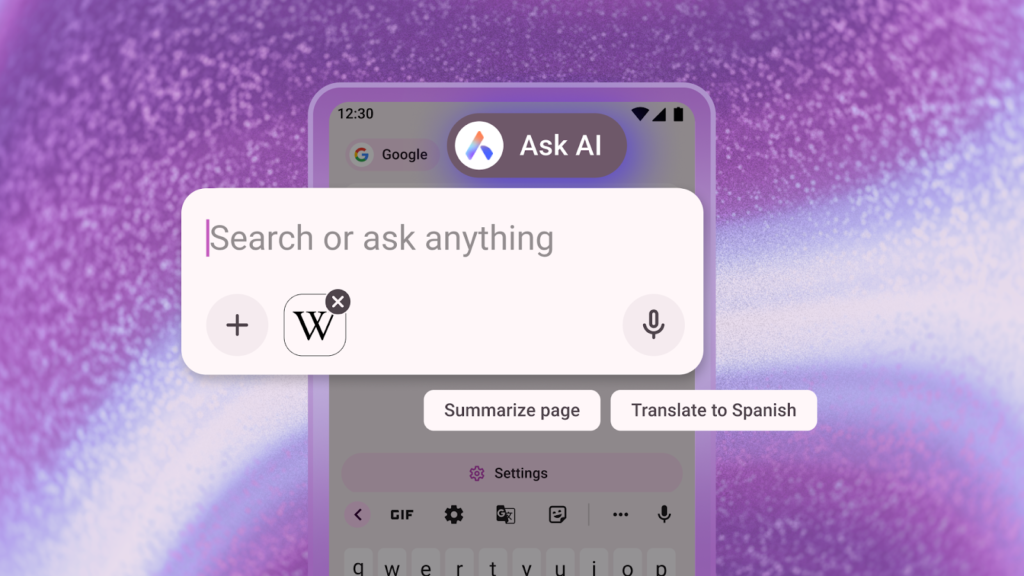
Once the user has done that, they simply need to type in the prompt and continue asking follow-up questions about the content of the webpage.
To protect user privacy, Opera AI only understands the context within the specific Tab being used, and cannot access information outside it. Page context data will only be sent to the AI Engine when this is necessary to perform the task requested. Opera AI does not send the user’s browsing activity or history to the AI Engine.
Prompt and page context data is sent to Opera’s servers and to the AI model that is the most relevant to the desired task. This data is encrypted, so no one at Opera can read it. It is stored for up to 30 days, only to enable conversation continuity for tasks that the user might return to, and to enable faster processing. It is never used for AI training, advertising, or any other purpose. All such data is then deleted from the servers automatically after the 30-day mark.
Download Opera for Android
Download Opera on your Android device today and experience the most advanced browser AI for mobile.
About Opera
Opera is a user-centric and innovative software company focused on enabling the best possible internet browsing experience across devices. Hundreds of millions of people use Opera browsers for their unique features on mobile phones and desktop computers. Founded in 1995 and headquartered in Oslo, Norway, Opera is publicly listed on the Nasdaq stock exchange under the ticker symbol OPRA. Download Opera browsers and other Opera products at opera.com. Learn more at investor.opera.com.
Contacts: Investor relations: Matthew Wolfson, investor-relations@opera.com; Media: press-team@opera.com